
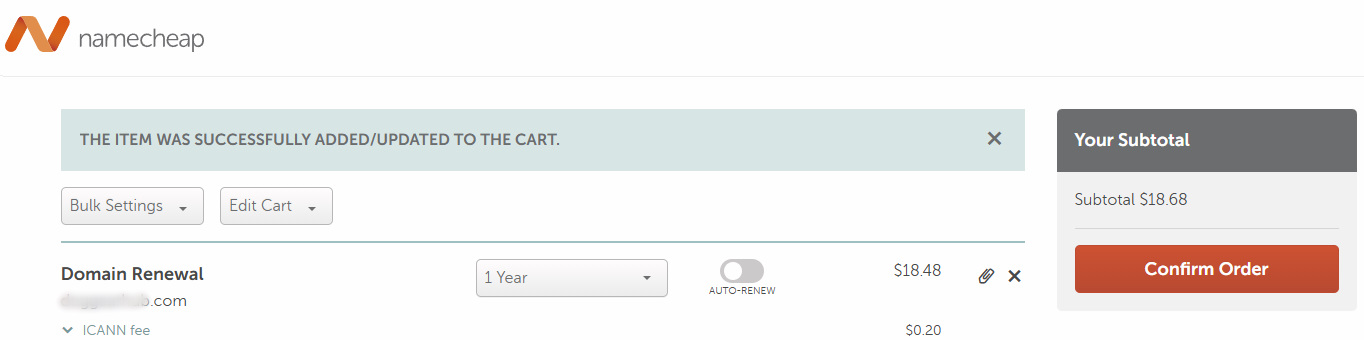
I have been a loyal customer of namecheap.com for years. They frequently offer sub-$10 .com domain name registrations and include free WhoIs privacy. However, the other day when I went to renew a domain name I was disappointed to to see they were jacking up the cost to $18.48. The renewal cost would be double what I paid to register the domain name.
After a little searching I was excited to learn that Cloudflare the world class security company is also a domain registrar and their .com renewal cost was only $10.
Transferring Domain Registration to Cloudflare
With Cloudflare only charging $10 for .com domain name renewals, I decided I would transfer my domain name. Domain name transfers are usually straight forward. However, some registrars will make it tricky to transfer your domain name since they don’t want to lose your business. Fortunately with namecheap.com the process is straight forward.
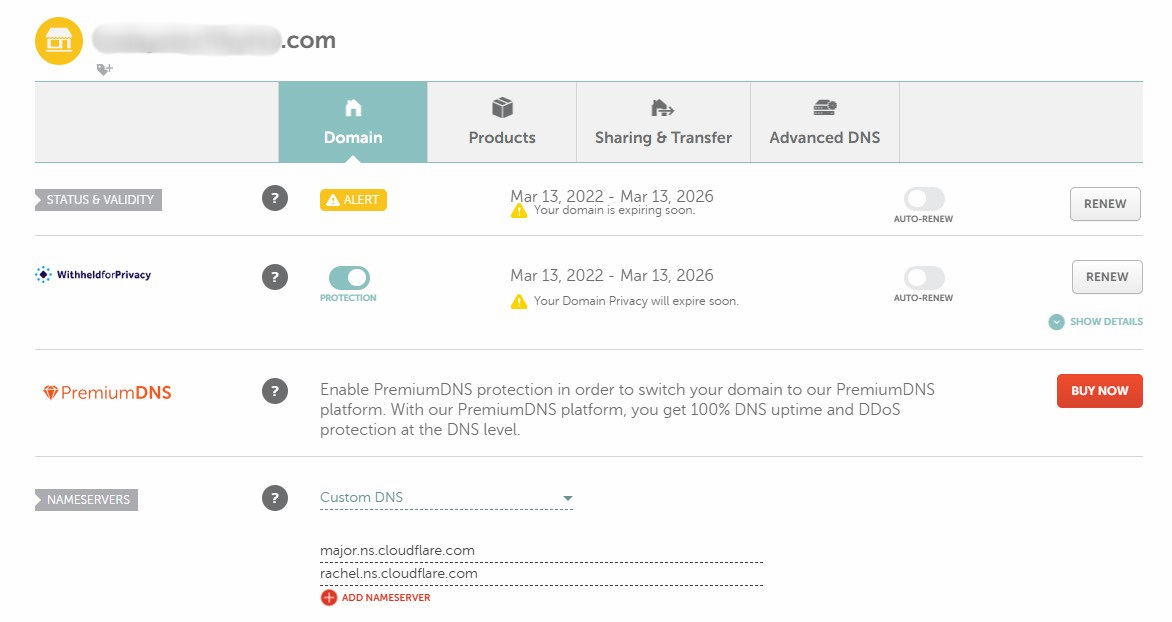
On the domain name settings page click on Sharing & Transfer icon.
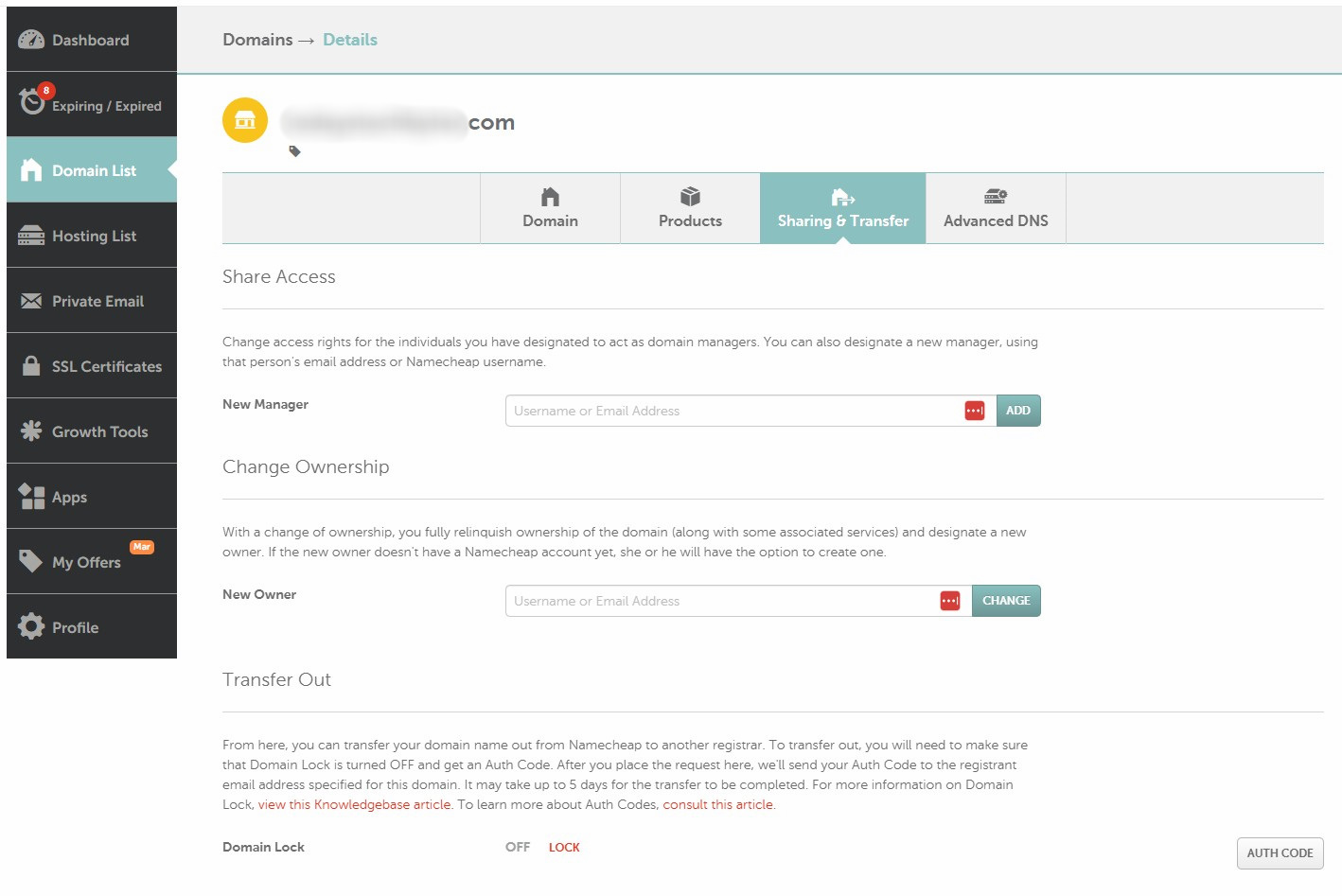
On the Sharing & Transfer page switch the Domain lock to off. This is security feature to ensure the domain name doesn’t accidentally transfer without your knowledge.
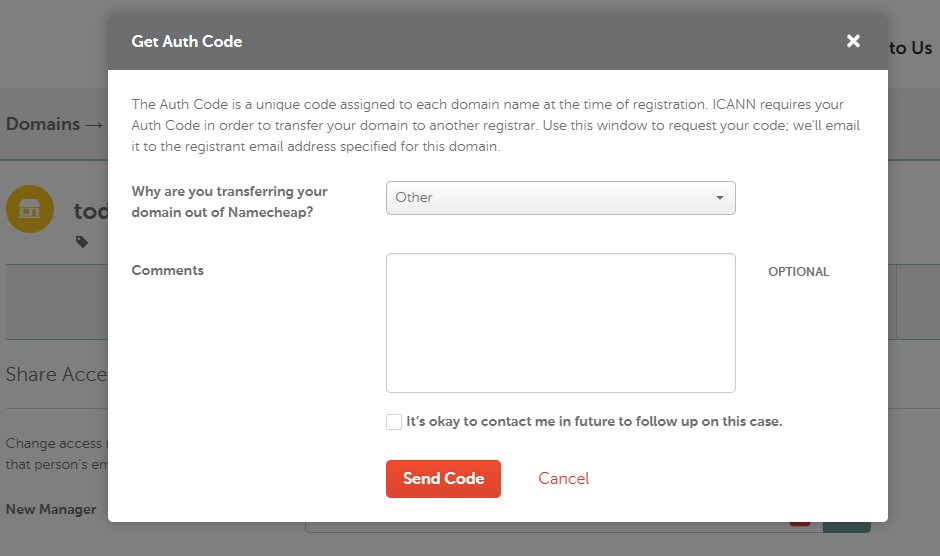
Next click on the Auth Code button to generate an authenticated code that will be used in the transfer process. Click Send Code. The temporary authentication code will be sent to one of the registration contacts.
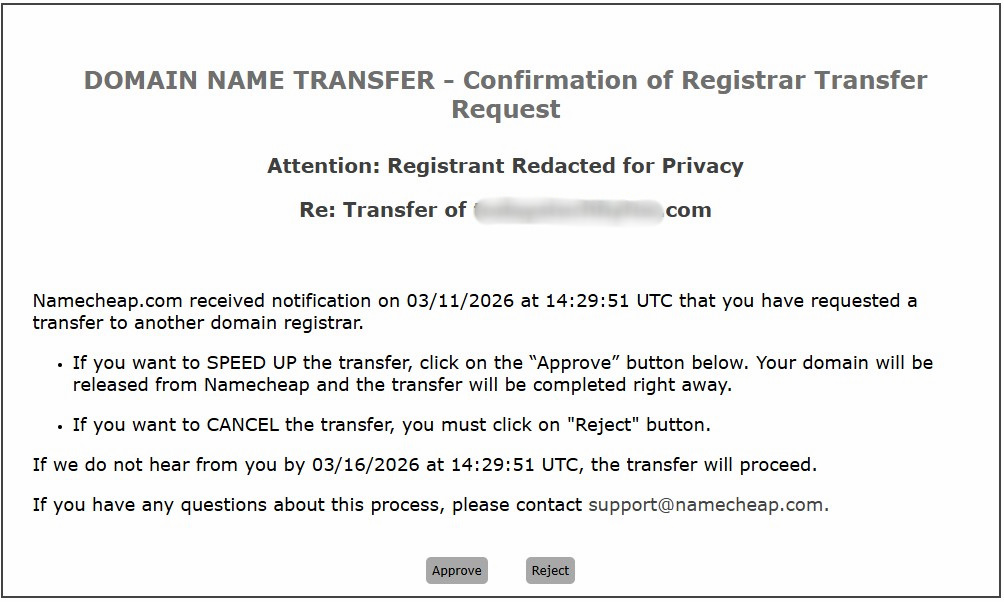
After this point the current domain name registration contact will receive a notification requesting approval to allow the domain name to be transferred. If you do not click the approve button it will delay the migration by several days.
Cloudflare Domain Management
To transfer domain registration to Cloudflare just open a free account and follow the steps to add a new domain name. I had already been using Cloudflare for DNS management so transferring the domain registration is even easier.
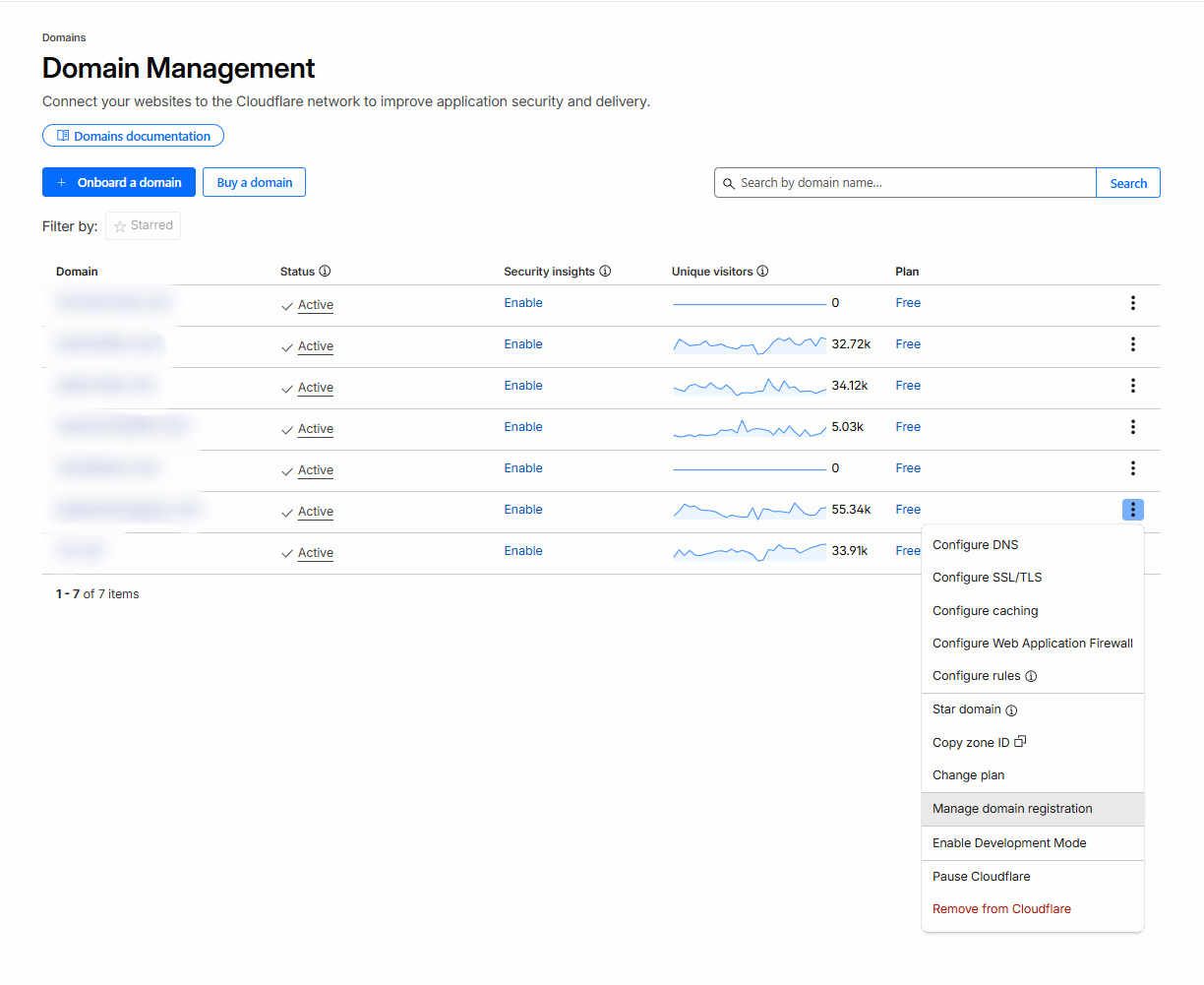
From the Domain Management screen select the domain name you want to transfer and click Manage domain registration.
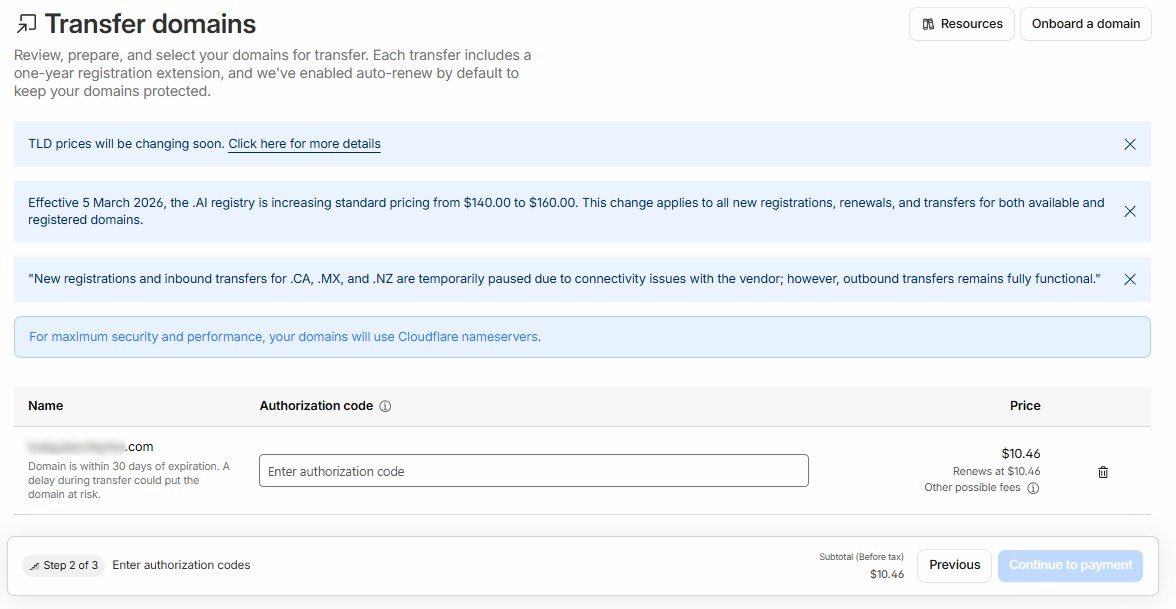
Enter the authorization code that was generated by your current domain registrar and then click continue to payment. After submitting the payment, assuming the transfer approval was submitted, the Cloudflare transfer will be completed. Please note even after making the payment, the transfer will not be initiated until you click approve in the message from the current registrar.
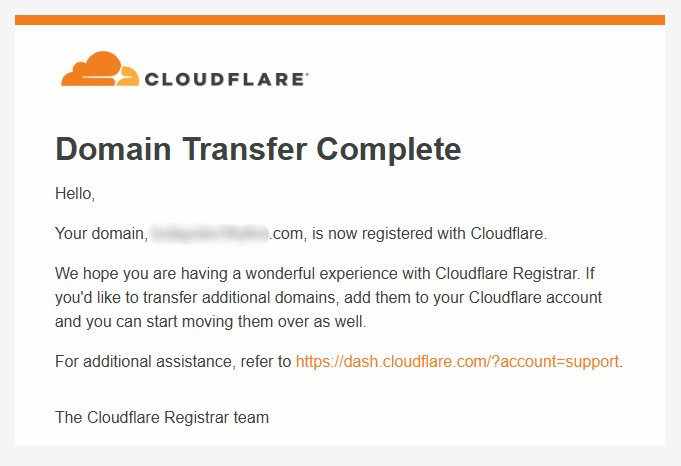
Once the domain name registration has completed you will get a notification. The whole process can literally be completed within 20 minutes if you can complete the approvals immediately.
Other Cloudflare Security Features
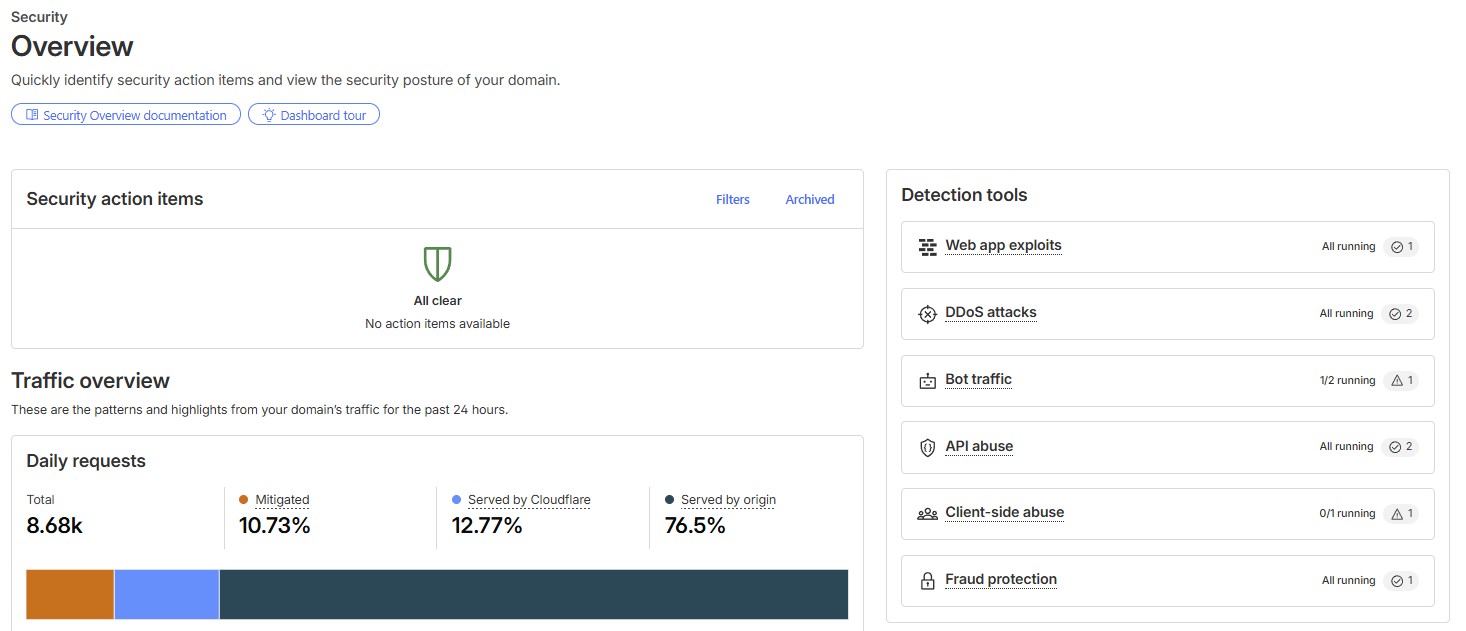
I had no hesitation to transfer my domain names to Cloudflare because I was already using some of their other free features like Turnstile a Google reCaptcha alternative and a free Web Application Firewall (WAF). I don’t understand why anyone would pay extra for these services when they can be used at no additional cost with Cloudflare.
- Cloudflare offers a free Web Application Firewall (WAF) that by default protects your site from common attacks such as SQL injection attacks, cross-site scripting and more.
- Cloudflare’s Turnstile product is an opt-in solution to bot attacks that serves as a replacement for CAPTCHA while protecting user privacy. Your users won’t even know it’s running.
- Cloudflare features world-class caching. Pages will load faster than ever before by being served through Cloudflare’s edge network at the location closest to your user.
Please note that you do not need to transfer your domain registration to Cloudflare to take advantage of their free security tools like Turnstile or the WAF. Additionally the free WAF is feature limited compared to the paid version.
In Summary
Moving your domain name to Cloudflare makes perfect sense if you’re looking to save money and increase security, without losing quality. Domain renewals are at-cost, approximately $10/year for a .com so why would you ever pay more. Combine that with Cloudflare’s free tools like Turnstile to stop bots, a free WAF to block bad traffic, and our DDoS protection built in. Now you have an enterprise grade stack for free. Run your personal projects or your growing business, Cloudflare has you covered to keep your website fast, secure, and affordable. If you aren’t using Cloudflare for your domain already, why not give it a try?
Frequently Asked Questions
How much does Cloudflare charge for .com domain renewals?
Domain name registrations and renewals at Cloudflare are approximately $10/year plus tax. This is an at-cost price which means they don’t mark it up for profit like other domain name registrars.
How do I transfer my domain to Cloudflare from Namecheap?
- Login to your domain’s Sharing & Transfer settings on Namecheap
- Turn off Domain Lock
- Request and Email an Auth Code
- Click approve on the email they send you
- Create a free Cloudflare account and request a transfer using the Auth Code
- Pay Cloudflare
What free security features does Cloudflare offer?
- Web Application Firewall (WAF) – Block SQL injection, cross-site scripting, and many other attacks
- Turnstile – A lightweight replacement for Google reCAPTCHA that quietly defeats bots and includes DDoS Protection
Do I need to transfer domain registration for the free security tools?
No. You do not need to transfer your domain name to Cloudflare to use the free security tools like Turnstile and the web application firewall. However, to use the WAF you will need to transfer DNS to Cloudflare which is a straight forward process.


)