
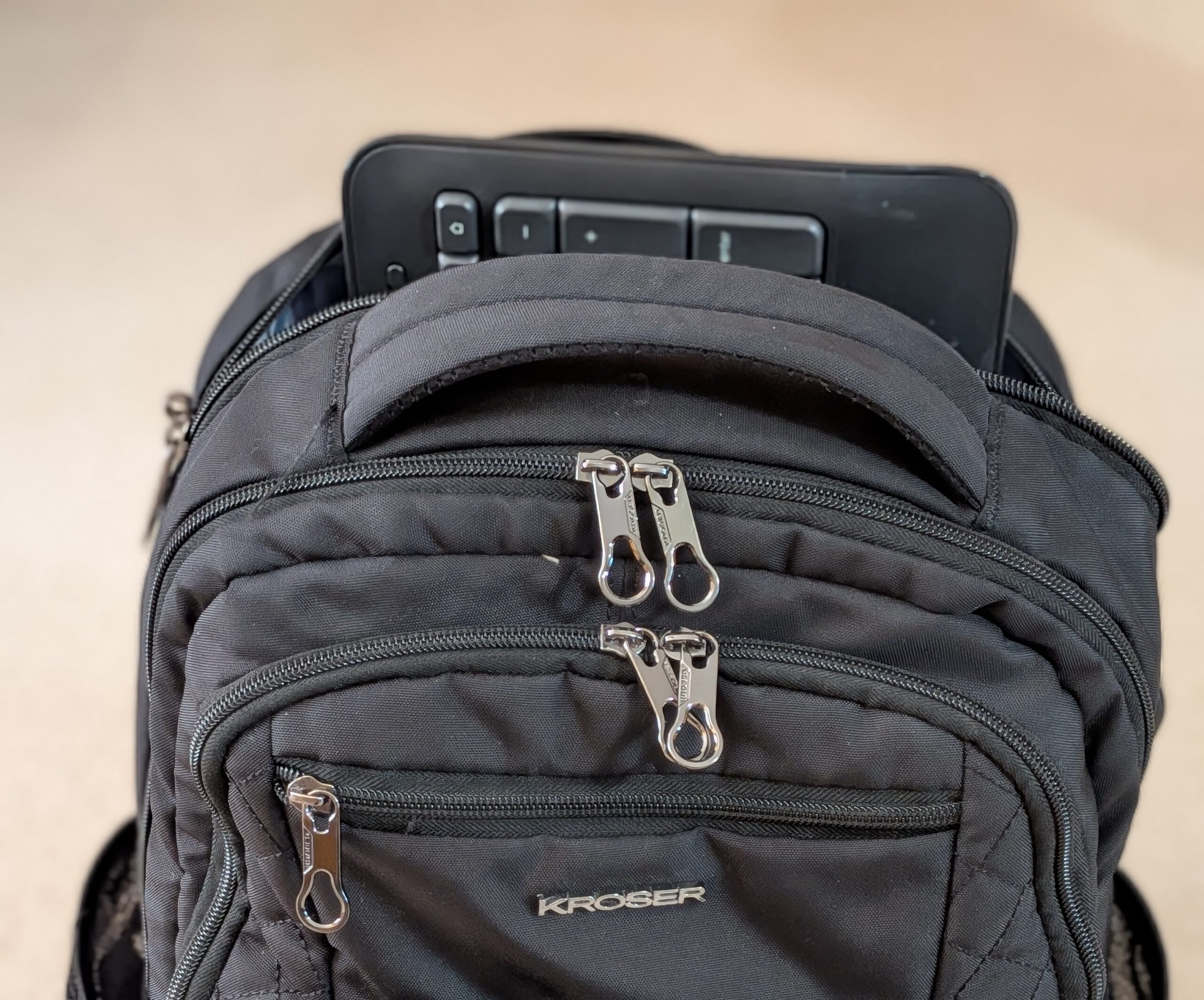
I recently started working in an office that, while providing ergonomic adjustable desks with a docking station and dual monitors, doesn’t provide keyboards, so I tried stuffing my Logitech K540 in my Kroser laptop backpack but being a full sized keyboard it stuck out of the top of the bag. Having enjoyed the Kroser backback for years, I wasn’t about to replace it. So I started searching for a wireless TKL keyboard instead, one that would fit easily and allow me to completely zip the bag.
My search eventually lead me to the Razer DeathStalker V2 Pro, and upon reading its specs, it was an easy decision: silent low-profile switches for working in the open-office, per-key Chroma RGB for when I’m at my personal computer, and the versatility to plug in via USB, HyperSpeed wireless or Bluetooth depending on what computer I’m using.

- LOW-PROFILE LINEAR OPTICAL SWITCHES — Perform quicker keystrokes with all-new switches that have a shorter actuation height for reduced key travel, backed by a 70-million keystroke lifespan for long-lasting performance
- TOP-CLASS CONNECTIVITY — Experience lag-free gaming and instant response with Razer HyperSpeed Wireless (2.4GHz) connection or unlock greater functionality with Bluetooth 5.0 and toggle between 3 devices
- ULTRA-LONG UP TO 200-HOUR BATTERY LIFE — Power through an entire day of gaming without breaking a sweat, also includes a detachable Type-C cable for continued use while charging
If you’re looking for full keyboard-style travel without laptop keyboard mushiness, this is one of the few wireless TKLs that doesn’t compromise with either its HyperSpeed 2.4GHz latency or battery life, which is measured in weeks rather than days.
It even adds Bluetooth 5.0 connectivity with support for three-device switching, volumetric or brightness control via a multi-function roller, and Snap Tap integration through Razer Synapse 4.
It’s ideal for gamers and desk hybrid users that want something that is quiet, fast, portable and feels premium beneath your fingers.
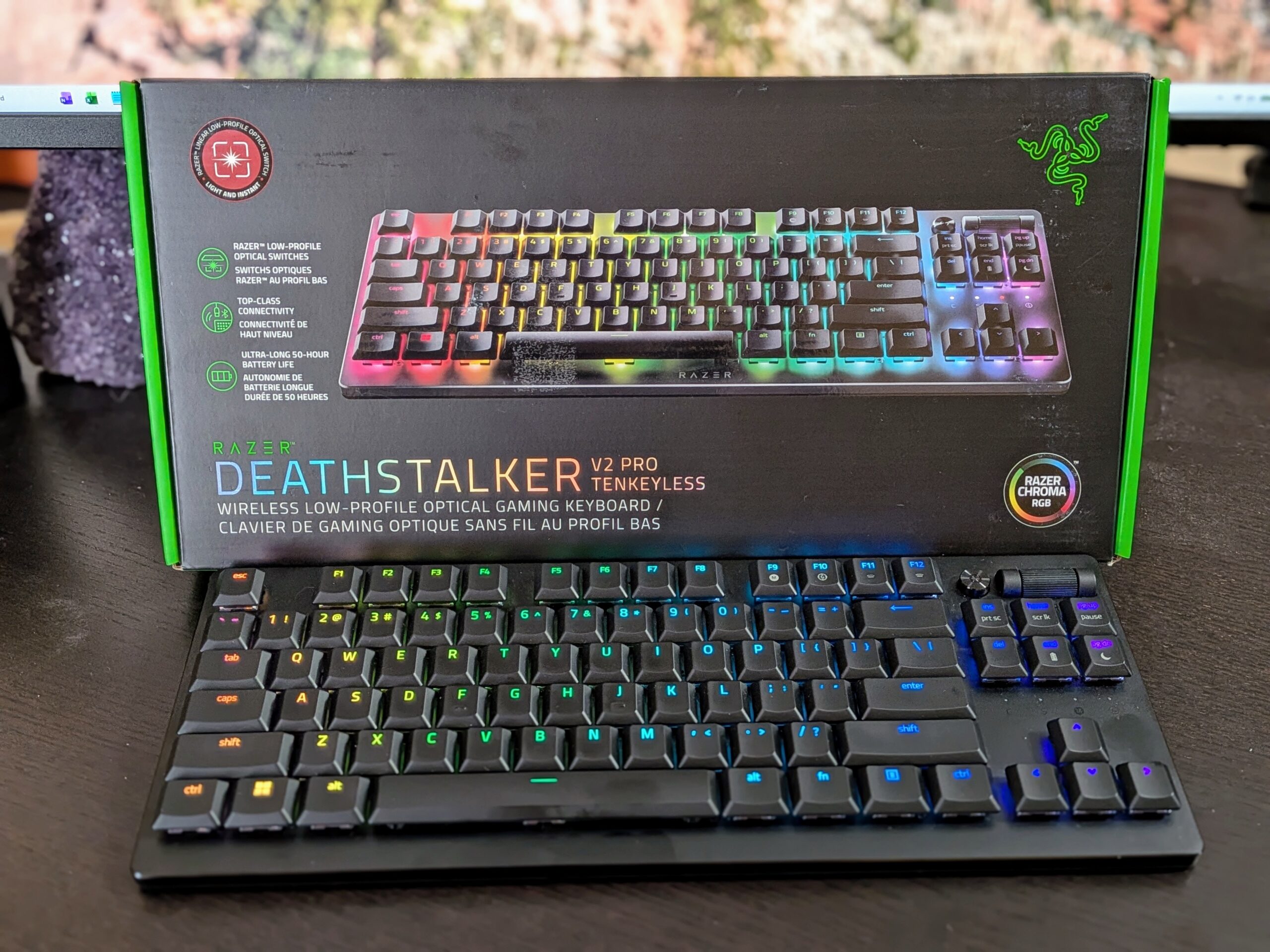
Check current availability and pricing for the DeathStalker V2 Pro TKL here.
What is a TKL Keyboard?
TKL is short for “tenkeyless”. It’s one of those tech terms that makes things sound more fancy than they are. It simply means a standard keyboard without the number pad and math keys on the right-side of the keyboard.
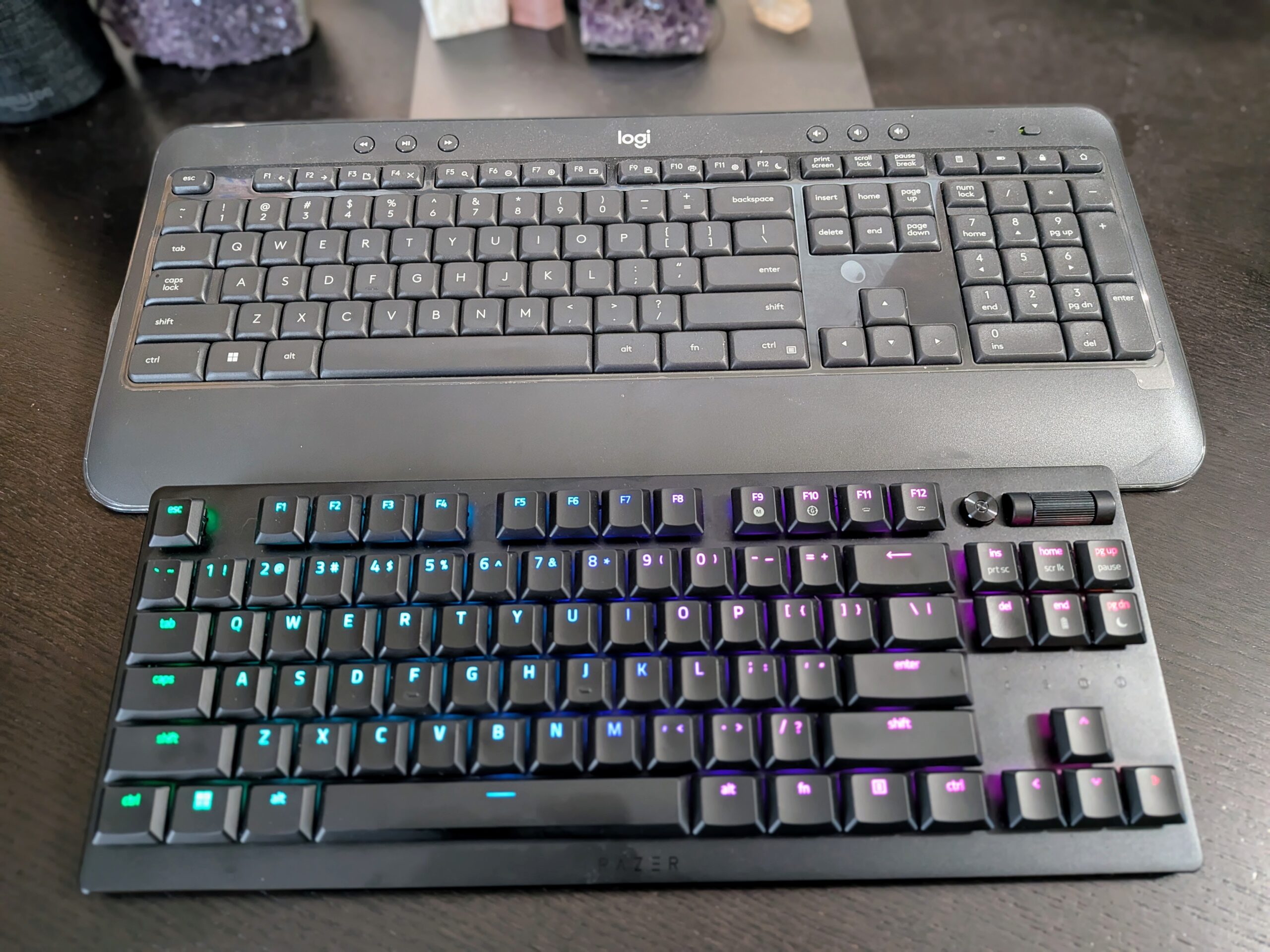
“Ten keys” refers to the number pad (0-9, approximately), so “tenkeyless” literally means “no ten keys.”
You keep all of the standard keys otherwise: full-size letter keys, full function row, arrow keys, and the navigation keys (Home, End, Page Up/Down). Nothing is reduced or abbreviated – your typing experience should be identical to what you’d get from a full-size keyboard. You’ll just be missing about two inches from the right-hand side of the keyboard.
Razer DeathStalker V2 Pro TKL Overview
Remove the number pad from Razer’s flagship model and you’ll find a keyboard that measures approximately 14.07 inches wide by 5.48 inches long by 1.02 inches tall.
Weighing in at 1.6 pounds thanks to some pretty dense construction around the aluminum alloy top plate, it’s heavy enough to remain stable during intense keyboard-and-mouse sessions.
Sharing the same 87-key ambidextrous layout as above, the Chroma RGB-backlit QWERTY runs laser-etched keycaps with HyperGuard coating and features a detachable USB- C cable.
It’s a second-generation effort that’s targeted directly at keyboard warriors that want mechanical-level quality input devices in something that’s more akin to a high-end ultrabook than a heftier gaming platform.
Low-Profile Linear Optical Switches
When pressing the keys, actuation occurs optically, meaning a beam of light senses the actuation rather than physical contacts. The result? Speedy, consistent actuation at a rated lifespan of 70 million keystrokes.
Linear switches mean there is no tactile bump or audible click. Travel is also reduced from full-size mechanical keyboards, which feels great for fast taps in twitchy shooters and makes the keyboard extremely quiet for open-office spaces or voice chatting.
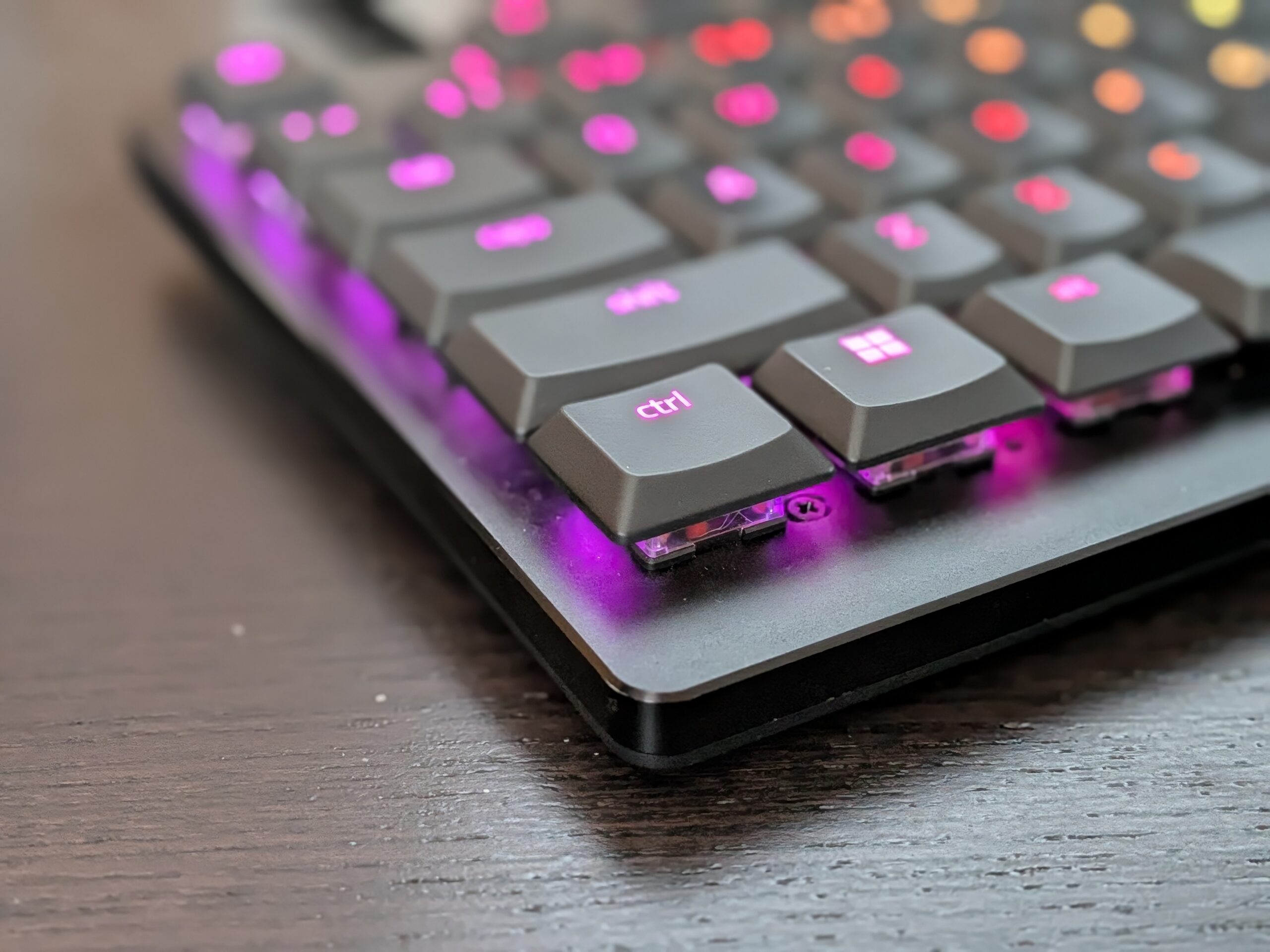
If you’re used to physical feedback when depressing a key, low-profile linear switches will feel aimless at first. Allow yourself a few days of use before forming an opinion; your fingers will learn soon enough. Ultimately you’ll appreciate the shortened travel on your fingers after long typing bouts.
HyperSpeed Wireless And Bluetooth Connectivity
The Razer DeathStalker V2 Pro comes with two wireless modes and each has separate duties.
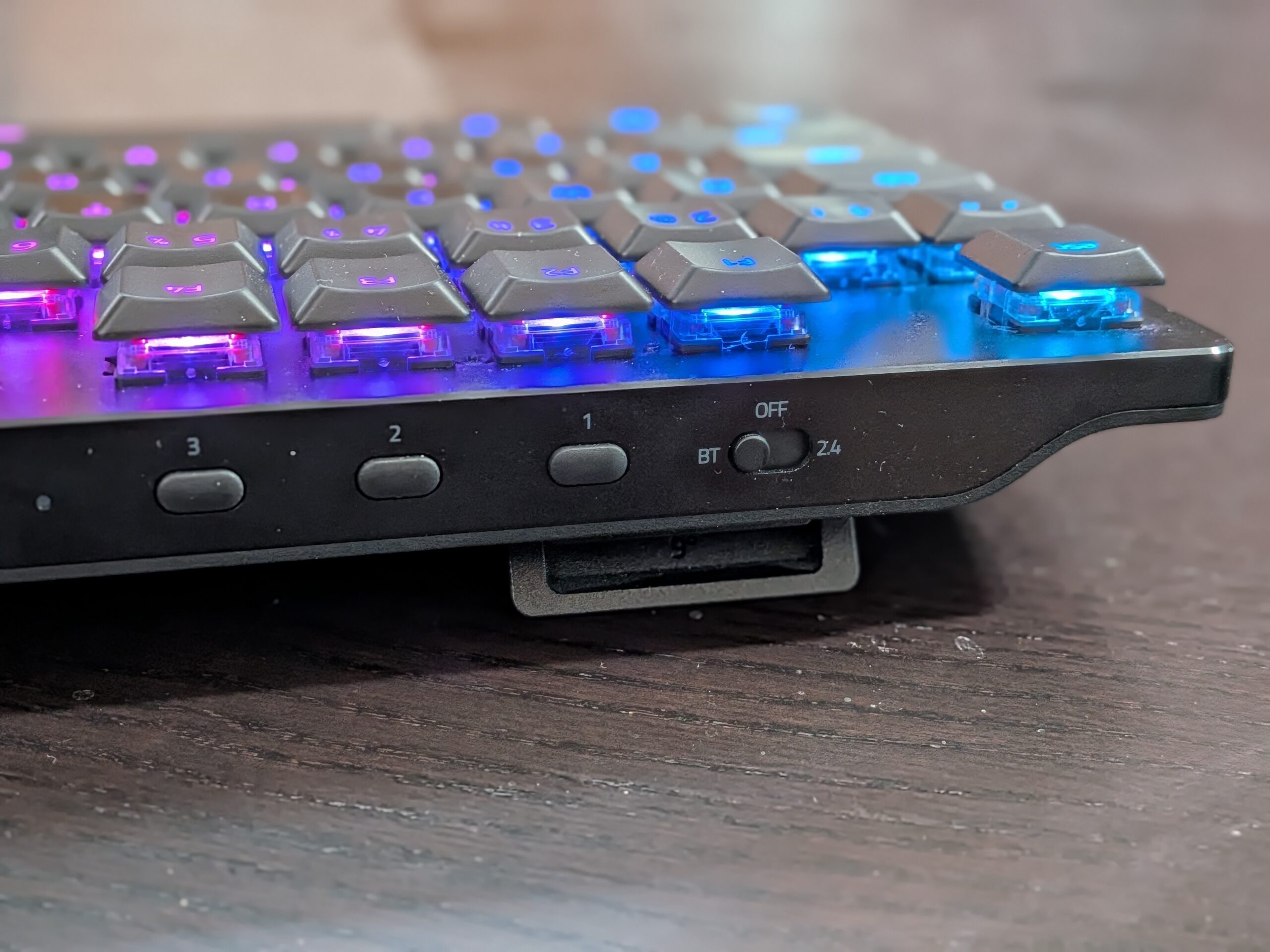
HyperSpeed Wireless operates at 2.4GHz via the usual USB dongle. This will be the gaming mode of choice, offering low enough latency that its response matches that of wired connections in practical tests according to Razer’s documentation.
Bluetooth 5.0, the other wireless mode, is used for productivity peripherals, with the ability to toggle between three paired devices. Alternating between a gaming PC, work laptop, and tablet keyboard will only only require pressing one of the three dedicated profile buttons on the back of the keyboard instead of the usual pairing dance.
200-Hour Battery Life And USB-C Charging
Razer states the rated 200 hours assumes the backlighting is turned off, and that’s an important distinction since you’re most likely buying this keyboard because of the RGB lighting and not just because it’s tenkeyless.
Play around with Chroma RGB at max brightness and you’ll find yourself charging way more frequently. Tone it down or turn it off completely and two weeks or more between charges is easily achievable.
The USB-C cable is detachable, so you’ll never have to pause what you’re doing to apply power. Connect the cable and keep on working, remove it when you get a chance. I haven’t had any issues with battery life yet. I keep the charging cable in my backpack and use it as needed. It’s not an inconvenience to me.
Slim Aluminum TKL Build And Media Controls
Another aspect of the Razer DeathStalker V2 Pro I really like is its rigidity. This keyboard has none of the plasticky feel of my venerable Logitech K540.
The keyboards top plate is made of aluminum alloy and doesn’t flex under heavy typing. With the low-profile style of the keyboard, the back legs have a two-stage feature so in reality you have 3 incline options in total. This helps keep your wrists straighter as you type, minimizing fatigue even without a wrist rest.
Another standout feature is that the keycaps have laser-engraved legends with a HyperGuard coating, which Razer states will make them more resistant to finger oil erosion than typically printed legends.
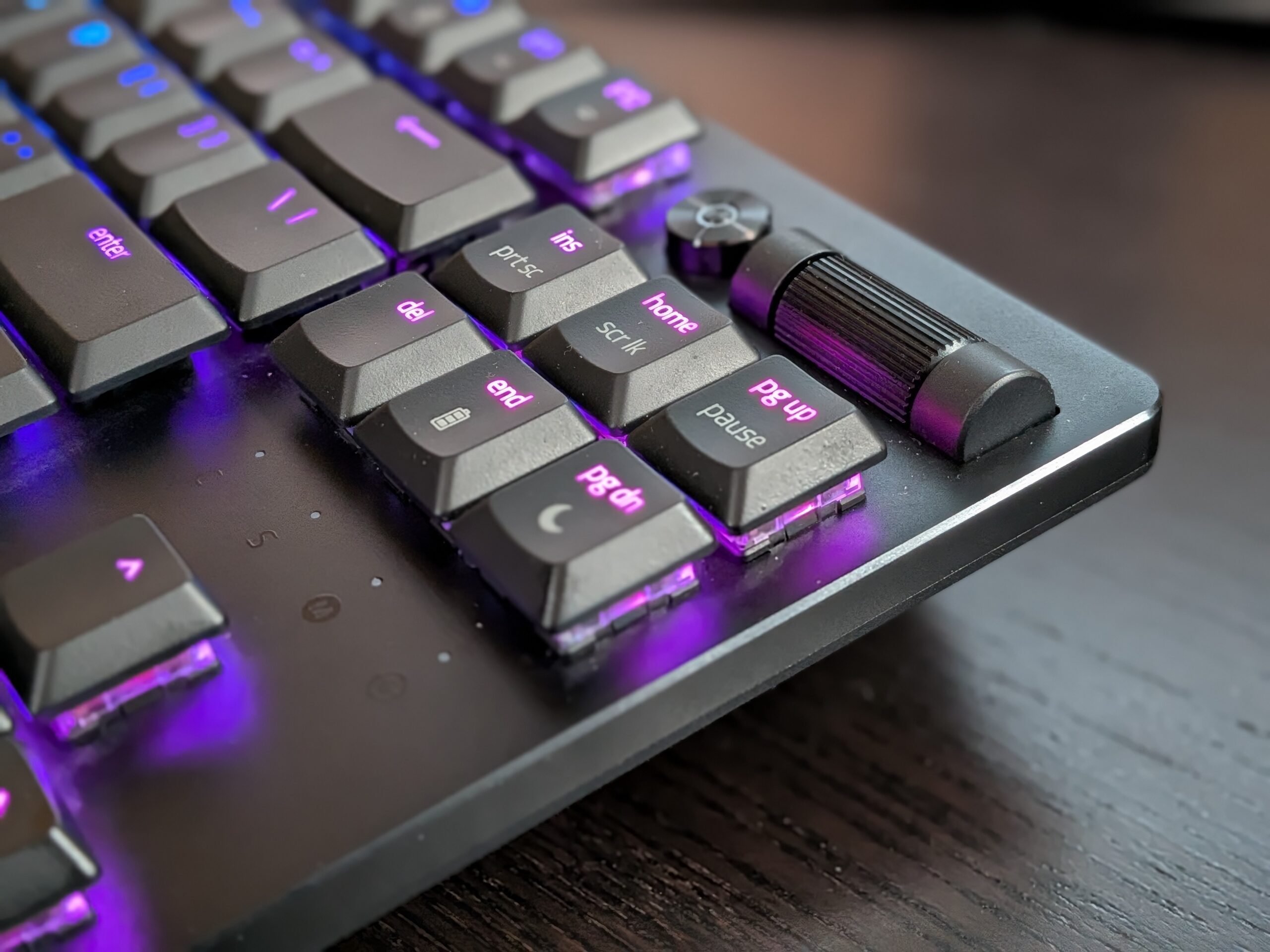
On the upper right side there’s a multi-function roller, that defaults to volume control with a click to mute function. This dial is also customizable through Razer Synapse to scroll, zoom, or other custom functions.
Gaming And Hybrid Work Setup Fit
Desk space is the obvious win.
Dropping the numpad frees several inches for mouse sweeps at low DPI, which matters if you play tactical shooters at wide arm angles.
For work-from-home use, the quiet linear actuation and Bluetooth device switching make it viable on calls and across machines.
Portability is genuine too; the low weight and slim profile travel well in a bag.
The adjustment period is real.
Coming from a full-size board, several users mention hitting Caps Lock when reaching for Shift and needing time to relearn spacing.
If you enter numeric data constantly, budget for a separate numpad or consider the full-size version instead.
Snap Tap, which prioritizes the most recent input between two assigned keys, requires Razer Synapse 4 and is off by default.
Pros And Cons
Pros
- Truly low latency on HyperSpeed 2.4GHz wireless connection
- Silent, rapid linear optical switches rated for 70-million keystrokes
- Solid aluminum top plate gives structure and satisfying weight
- 200 hours battery life with backlighting off, USB-C charging while plugged in
- Bluetooth capable of switching between three devices, ideal for dual PC/laptop use
- Volume/Brightness customizable roller and media button
- Low-profile height accommodates natural, low-stress wrist posture
Cons
- Some reviews report dropouts on 2.4GHz connection
- RGB backlighting drains battery life
- Linear switches lack tactile feedback which some typists prefer
- TKL reduces key count by removing number pad
- Snap Tap and key remapping require downloading the Razer Synapse software
Customer Reviews
Doing my research before purchasing this keyboard I found the reviews to be generally positive. Here are some common things mentioned.
Users upgrading from other low-profile keyboards noted the improved keycap stability/rattle and enjoyable tactile-responsive typing as good justifications for buying a premium keyboard.
Ease of portability and charging while you use it also was frequent praise, as was quiet operation.
Most negatives fell into just two categories.
Some reviewers said the transition to the compact keyboard layout took some getting used to; bumping fingers against Shift and Caps Lock was fairly common among users in the adjustment phase.
More frustrating were reports from frustrating 2.4GHz dropouts in-game and one user reported being unable to charge the battery after about a month of usage. This user also complimented Razer customer support though, and continues to use the keyboard while plugged in.
In my experience I have not used the keyboard enough to notice any of these issues. So far I absolutely love this keyboard and recommend it to anyone looking for a wireless TKL keyboard with RGB backlighting effects. So far the only disappointing feature I have experienced is when you connect to a computer without the Razer Synapse software installed the RGB backlighting defaults to a slow color spectrum cycle. So all the keys feature one color and then it fades to the next color. You can’t change that until you install Razer Synapse.
Summary
What began as needing a backpack-friendly keyboard for office commuting turned into one of my favorite peripherals purchases in a while.
The Razer DeathStalker V2 Pro TKL answered the call of actually fitting a full sized keyboard into my Kroser laptop backpack without having it stick out of the top, but it solved some annoyances I didn’t know I had while I was at it. The silent linear optical switches let me stop being that guy in office klacking away while someone else is on a conference call. The three-device Bluetooth switching means I don’t have to constantly re-pair anything when docking and undocking between my work setup and personal computer. And the aluminum top plate helps it feel like equipment you’d actually take into battle versus the cheap-as-feel plastic of the Logitech K540 it replaced.
Is it perfect? Of course not but almost. The RGB backlighting will ding the advertised 200-hour battery lifespan pretty hard should you choose to enable it, the linear switches do take some getting used to if you’re coming from a tactile board and like that click, and default rainbow-cycle lighting effect if you haven’t got Synapse on whatever computer it’s connected to is one of those in-my-face RGB moments that I hope Razer upgrades in a future firmware update.
Should you buy it? Yes, if you’re someone who works hybrid and your keyboard moves between your office and your dining room table daily, gamers looking for low-latency wireless and who don’t want a full-sized keyboard taking up mouse real estate, and pretty much anyone tired of pounding away on their laptop all day but aren’t itching to haul around a tank of a keyboard.
Skip it if? You’re a heavy data-entry kind of user that genuinely needs a numpad, if you’re a typist that can’t deal with non-tactile switches, or if you want a keyboard that just works out-of-the-box without having to install any companion software.
For me, the choice was easy and now my backpack actually zips shut, really the whole reason I was looking into this in the first place. Thanks for reading.
Frequently Asked Questions
Is the Razer DeathStalker V2 Pro a good keyboard?
Yes absolutely. It’s a solidly built low-profile wireless keyboard with excellent latency and sturdy aluminum chassis. The downsides are that this version only comes with linear switches and some users have experienced 2.4GHz connectivity dropping out.
Is the Razer DeathStalker V2 Pro mechanical?
Yes. This keyboard features optical rather than mechanical switches with metal contacts. Each press is registered by a light beam which minimizes debounce latency and helps achieve the advertised 70-million keystroke rated lifetime.
How do I pair the Razer DeathStalker V2 Pro via Bluetooth?
Toggle the connection mode to Bluetooth then press and hold the designated key combo until the light bar blinks to enable pairing mode. You can store three different connections on the keyboard, so you can switch between them with a key combo instead of having to pair each time.
What switches are available for the Razer DeathStalker V2 Pro?
Currently there are low profile linear optical switches on this model, which Razer calls Linear Red. These switches glide smoothly when you press them, with no tactile bump. There have also been clicky low profile optical switches offered by Razer in other configurations of this keyboard.
What is the battery life of the Razer DeathStalker V2 Pro?
Up to 200 hours if you turn the backlighting off. Using Chroma RGB at higher brightness levels will drain the battery faster, but the removable USB-C charging cable means you can plug it in and keep using the keyboard while it charges.
What is the difference between the full-size and Tenkeyless versions?
DeathStalker V2 Pro (TKL) does not include a number pad so it’s narrower by about three inches. It gives your mouse more room to move and feels noticeably lighter in your hands. If you’re a numbers person that crunches numbers and spreadsheets for fun, then you’ll want the full-size DeathStalker V2 Pro for the included numeric keypad. Just know it will take up more space on your desk.


